Blog
SharePoint End-of-Life: Why Migration Matters Now
April 10, 2026
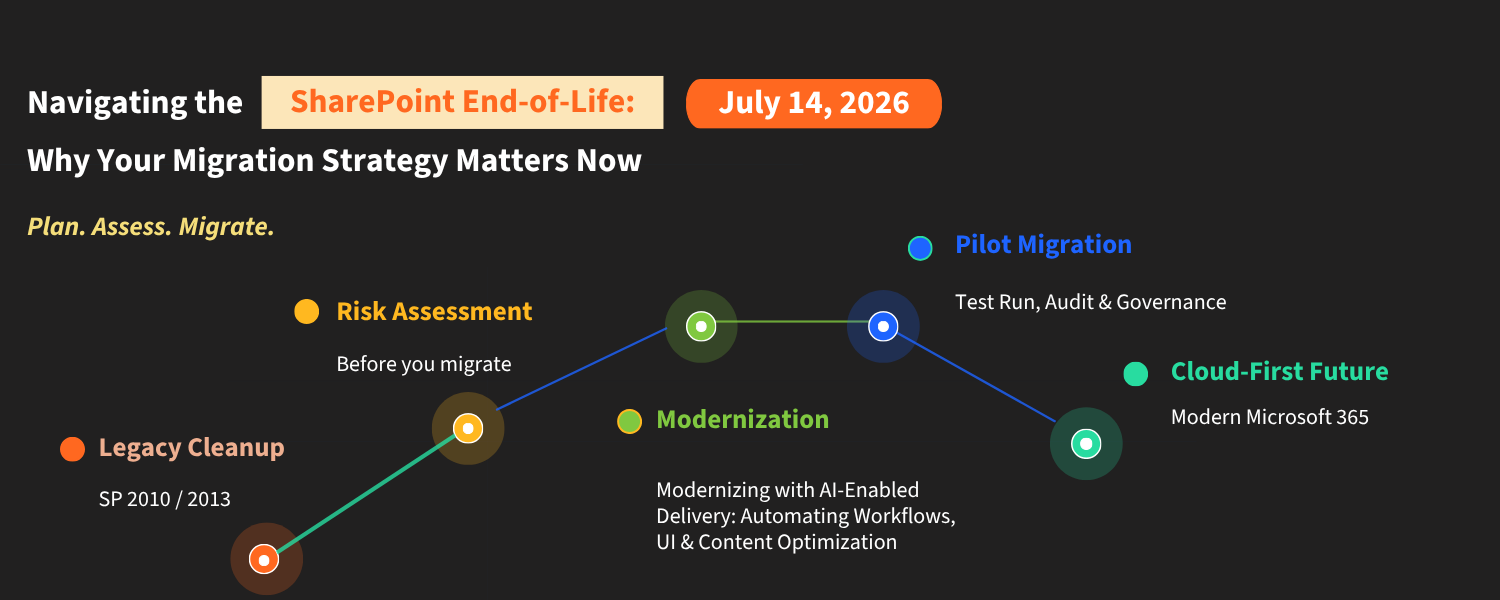
Microsoft's decision to cease support for older versions of SharePoint is more than just a technical note; it's a strategic turning point for every organization that depends on the platform to manage documents, workflows, and collaboration.
With several SharePoint Server versions already past their end-of-life dates or quickly approaching, IT leaders and business decision-makers must act intentionally. Delaying migration doesn't pause the clock; it raises the risk.
What End-of-Life Actually Means for Your Organization
Once a SharePoint version reaches end-of-life, Microsoft ceases providing security patches, bug fixes, and technical support. Your environment will continue to run, but without the safety net of ongoing updates. Over time, this results in increasing vulnerabilities: unpatched security gaps, incompatibility with modern tools, and a growing disconnect from the tools your teams need to stay productive.
SharePoint Online, Microsoft's cloud-based platform, is now the main focus of Microsoft's investment. It hosts security updates, enables native integration with Microsoft Teams, and is the platform on which AI-powered productivity tools are being developed. For organizations committed to long-term operational resilience, migration is not optional; it is inevitable.
The Path Forward Depends on Where You Are Today
Not all migrations are the same. The difficulty of your transition largely depends on the version of SharePoint your organization currently uses.
SharePoint Server 2016 and 2019
Organizations using these versions are relatively well-positioned. Both platforms were built with modern cloud compatibility in mind, allowing SharePoint Online migration to usually be completed with standard tools. File libraries, sites, and permissions can be migrated in a structured and predictable way. With proper planning, these projects are manageable in scope and timeline.
SharePoint Server 2010 and 2013
The situation is much more complicated for organizations still using these platforms. Created during an earlier phase of enterprise technology, these versions were often customized with legacy code, outdated authentication methods, and workflow setups that don't integrate well with modern cloud environments.
A simple lift-and-shift migration isn't practical in these cases. Instead, organizations should adopt a phased process that involves auditing existing content, removing outdated integrations, adjusting workflows as needed, and checking data accuracy at each stage. Although this approach entails higher upfront costs, it offers a valuable opportunity to eliminate legacy technical debt and establish a clean, well-managed foundation in Microsoft 365.
No Two Environments Are the Same
Even organizations using the same version of SharePoint face different migration challenges. Factors such as customization levels, accumulated data, third-party integrations, and the importance of specific workloads all influence the scope and order of a successful migration.
That's why a SharePoint migration strategy should always start with a comprehensive assessment of your current environment. It helps identify risks, dependencies, and priorities before any transition work begins.
Beyond Compliance: The Strategic Case for Migration
Viewing an end-of-life deadline solely as a compliance task is a mistake. Organizations that plan their migration strategically will see that SharePoint Online provides features far superior to those of older platforms.
These encompass automated workflows through the Microsoft Power Platform, enhanced security and access controls, seamless integration with Microsoft Teams and other Microsoft 365 applications, and AI-powered tools that enable faster information retrieval and smarter decision-making. When implemented properly, the migration is more than a technical upgrade; it represents an investment in your organization's operations.
How KARYA Technologies Can Help
At KARYA Technologies, we understand that every migration is unique. Our process begins with a thorough, honest assessment of your current SharePoint environment to identify what needs to be moved, what must be rebuilt, and what can be retired altogether.
From there, we develop a migration plan tailored to your organization's specific goals, risk tolerance, and operational needs. Throughout the process, our team works with yours to minimize disruption, protect data integrity, and ensure a smooth Microsoft 365 migration.
Whether you're switching from a legacy platform or enhancing an existing cloud setup, we offer the expertise and structure to help you succeed with confidence.
To schedule an environment review or discuss your SharePoint Online migration needs, please reach out to us at info@karyatech.com. We're happy to help you plan the best way forward.
You can also reach us at www.karyatech.com